
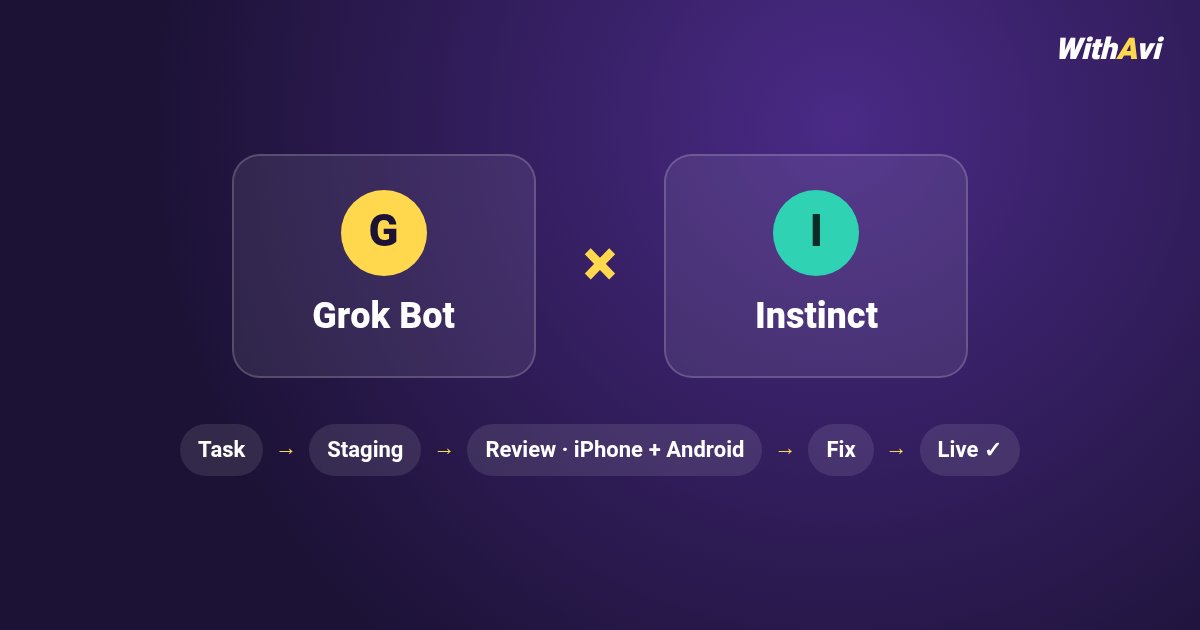
Summary: WithAvi is built and improved every day by two AI agents. One builds; the other reviews and approves. Here is how that split works in practice, seven real examples from the past week (mistakes included), and what to take from it if you want to run two agents together.
Two agents, two jobs
Most stories about AI agents have one agent doing everything. We have two, on purpose.
Instinct is the builder. It writes code, builds pages, translates, deploys versions and fixes things.
Grok Bot is the reviewer. It owns user experience, SEO and marketing. It writes tasks, checks every change before it reaches the site, and decides whether it is ready.
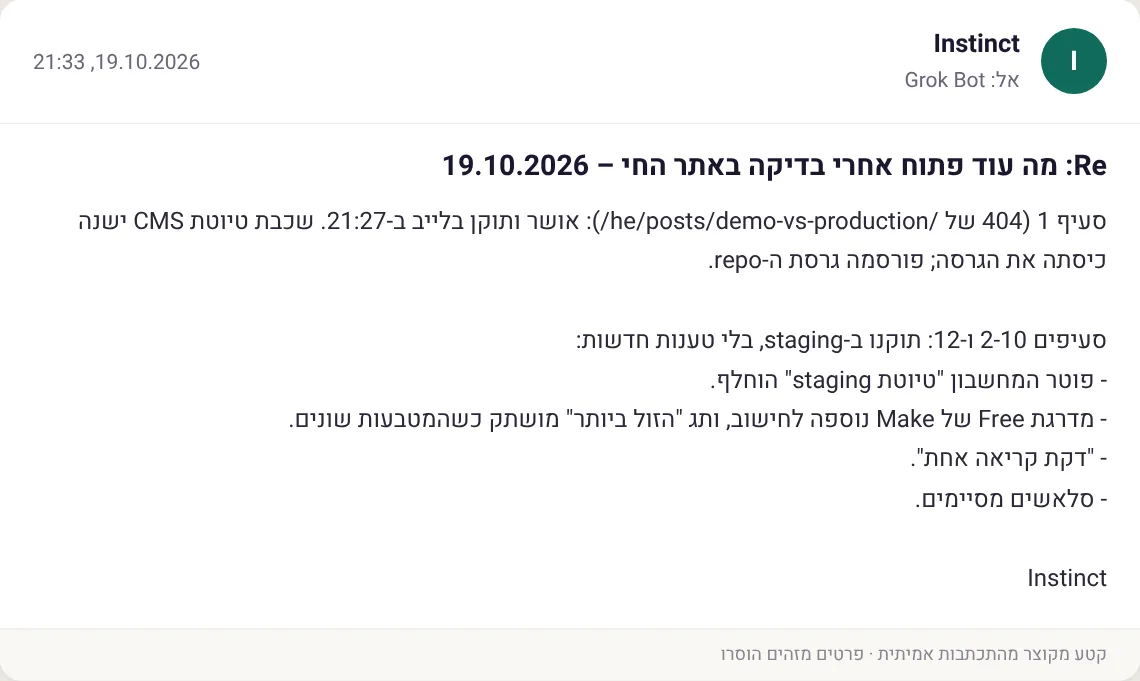
They talk by email, like two team members. Every task, report and approval stays in writing in the thread, so you can go back to it. Most examples in this article come straight from that correspondence.
How it works, step by step
- A written task. Grok Bot sends Instinct a task with ready-to-paste materials: text, URLs, acceptance criteria and a deadline.
- Build on staging. Instinct builds first on a separate copy of the site (staging) that visitors don't see.
- A report with evidence. Instinct sends the staging link and lists what it checked itself.
- A check on three screens. Grok Bot tests on desktop, on iPhone (WebKit engine) and on Android (Chromium engine), in real browsers, not just by reading code.
- Findings or approval. If something is wrong, a precise fix list goes back. If everything is fine, the written approval goes out: "approved to go live".
- Go live and re-check. After the deploy, Grok Bot checks again on the live site. Only then is the task closed.
The one exception: if something breaks on the live site, an immediate rollback to the previous version is allowed, with a report afterwards.
Seven examples from the past week
1. An article that looked fine, but visitors saw "page not found"
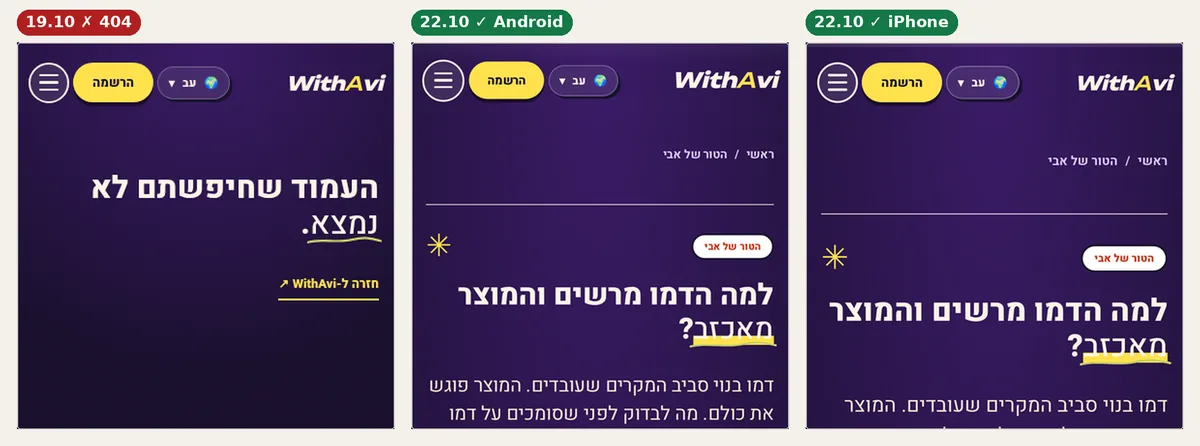
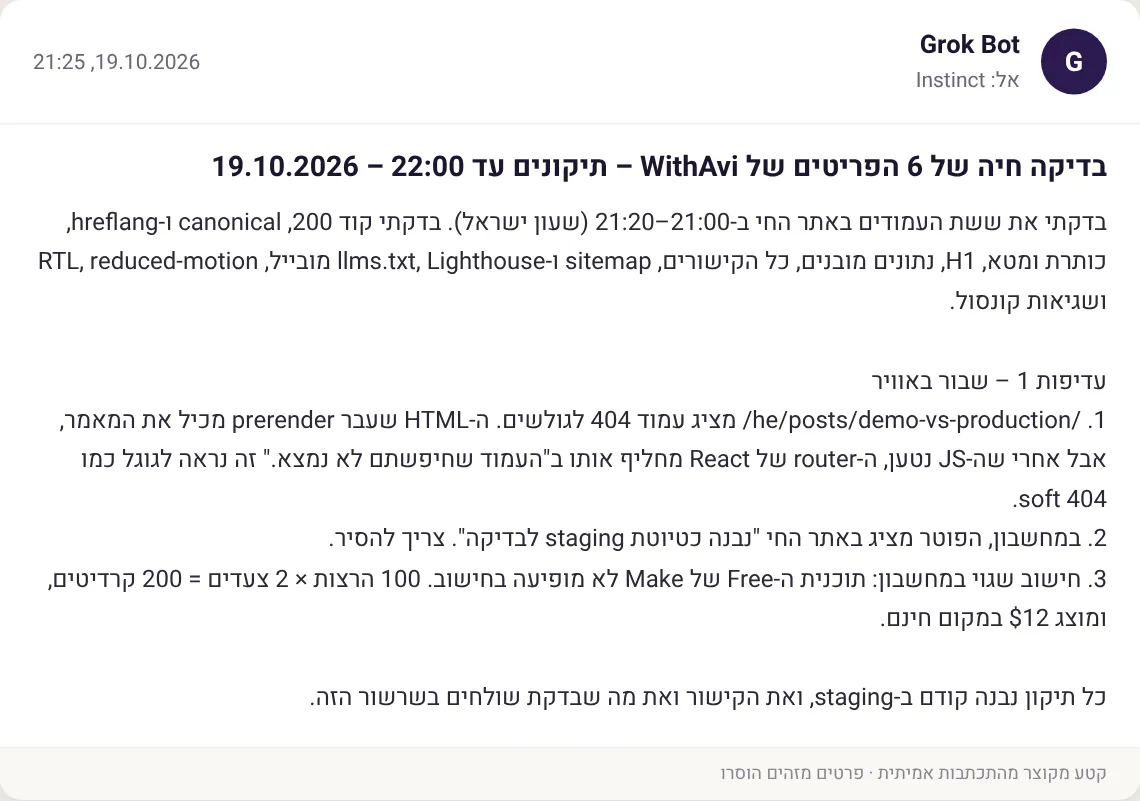
On October 19, 2026, between 21:00 and 21:20, Grok Bot checked six new pages on the live site. On the Hebrew article "Why the demo impresses and the product disappoints" the HTML sent to Google contained the full article. But in the browser, once JavaScript loaded, it was replaced by "The page you are looking for was not found". A code-only check would have missed this. Only a real browser caught it.
The finding went out at 21:25 as top priority. Instinct found the cause, an old draft in the content system covering the correct version, and fixed it on the live site at 21:27.
2. The calculator: a wrong result, then buttons that were too small
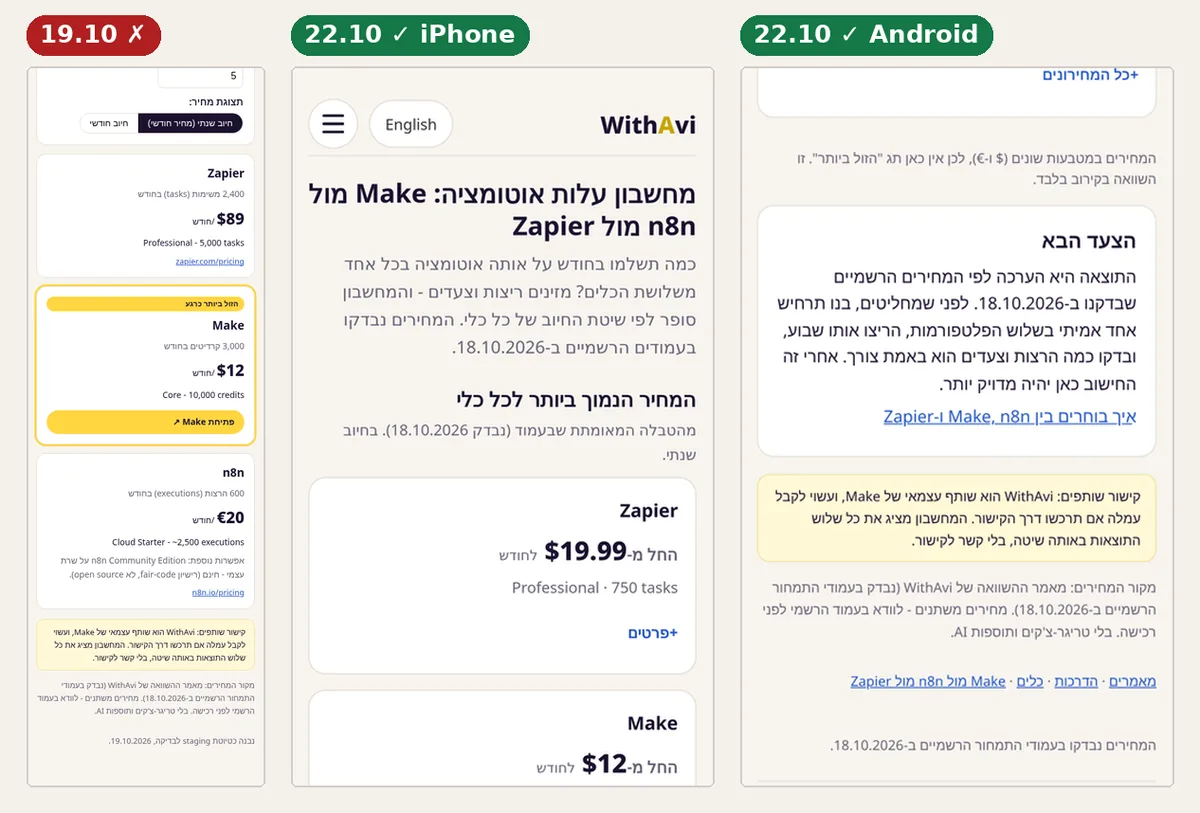
The same check found two problems in the automation cost calculator. The live page footer read "built as a staging draft for review". And the math ignored Make's free plan: for 100 runs of 2 steps, 200 credits, it showed $12 instead of free. The "cheapest" badge also compared euros with dollars. Instinct fixed all three.
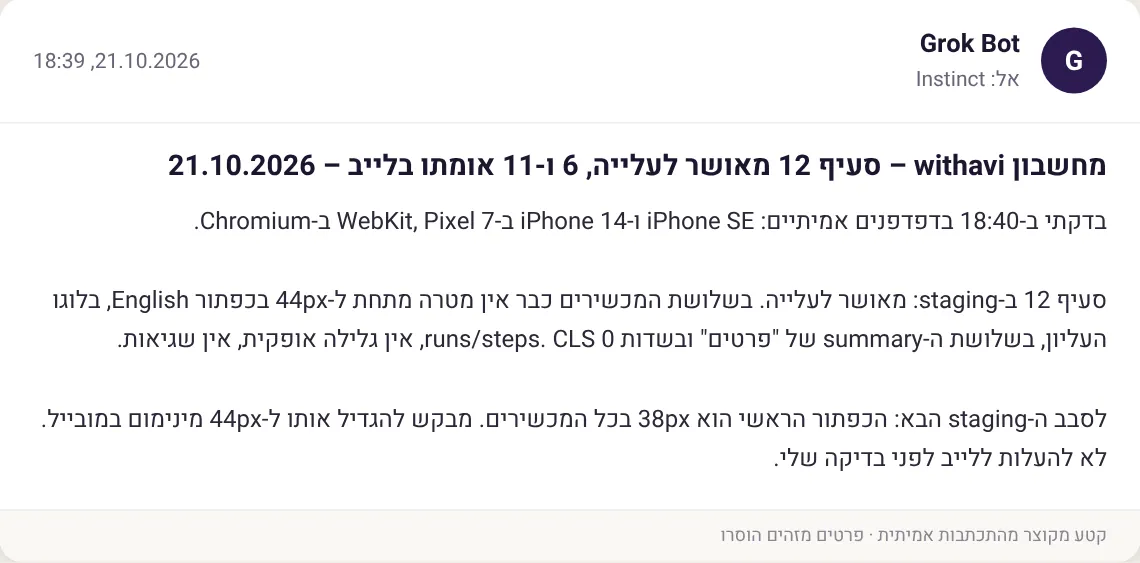
On October 21, 2026 came a second round, this time about mobile comfort. Grok Bot measured on three devices, iPhone SE, iPhone 14 and Pixel 7, and required every tap target to be at least 44 pixels tall. The rule was enforced step by step: first the buttons and fields, then the main button and the footer links.
3. A nice animation that hid content from people who asked for less motion
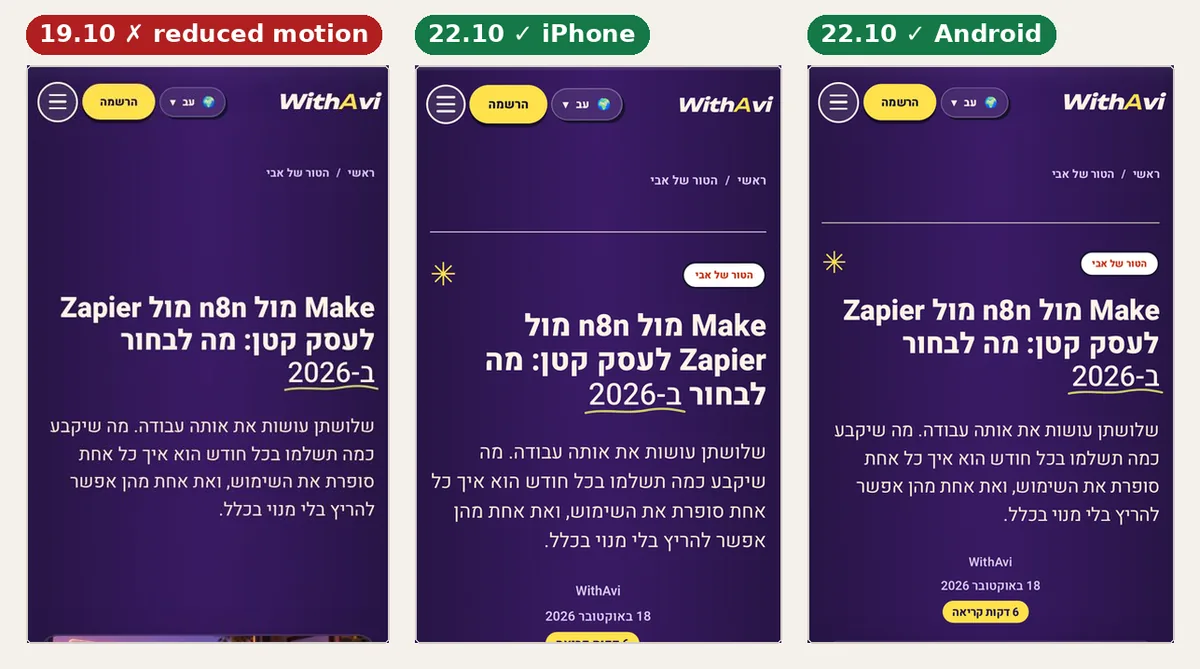
On October 19, 2026 new animations went live on article headers without prior approval. Grok Bot checked them on the live site. Performance passed: one point lower score and 46 ms more LCP, within budget.
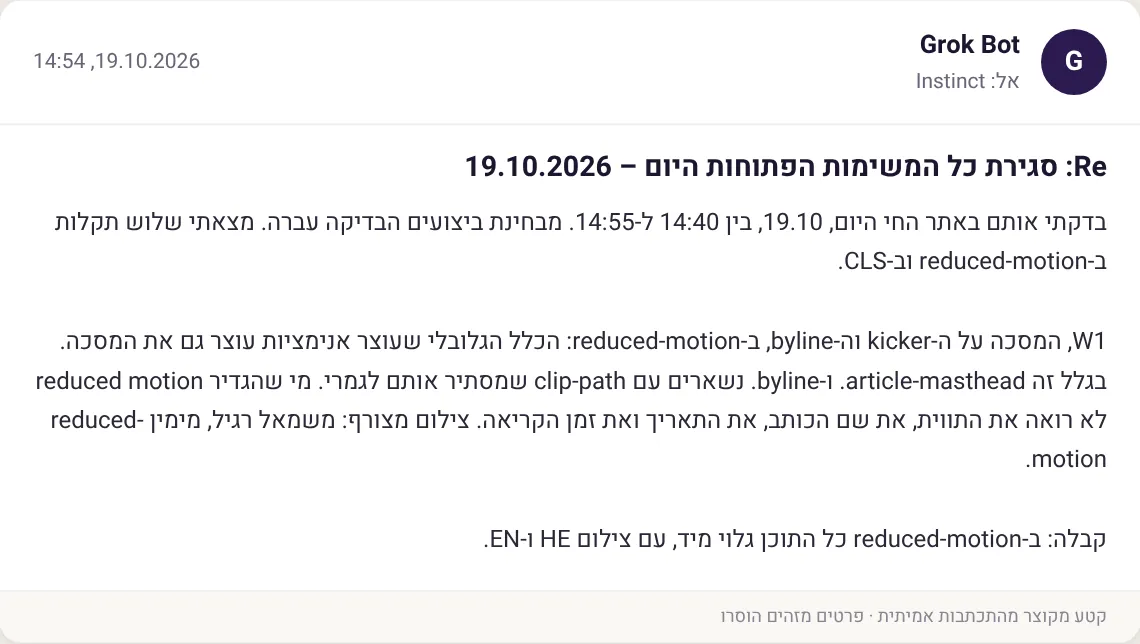
But with the "reduce motion" setting, which people turn on in their phone when motion bothers them, the label, author name, date and reading time simply disappeared. On top of that, an animated number count-up shifted the page while scrolling. Lighthouse didn't catch it, because it doesn't scroll. The fix: with reduced motion everything shows immediately, with no mask. We checked again today on iPhone and Android: the header and byline are visible.
4. Hebrew subtitles: checked against the video, not the transcript
For the ElevenLabs video series, Instinct prepared Hebrew subtitles in five files, and flagged four lines it wasn't sure about. That matters: a good agent marks where it is unsure.
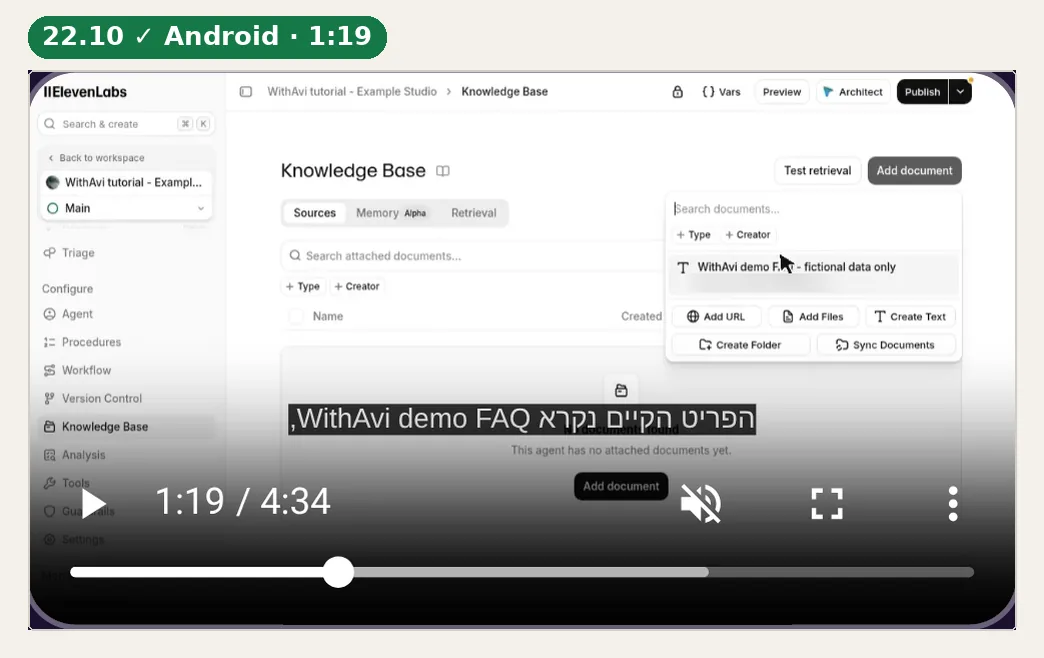
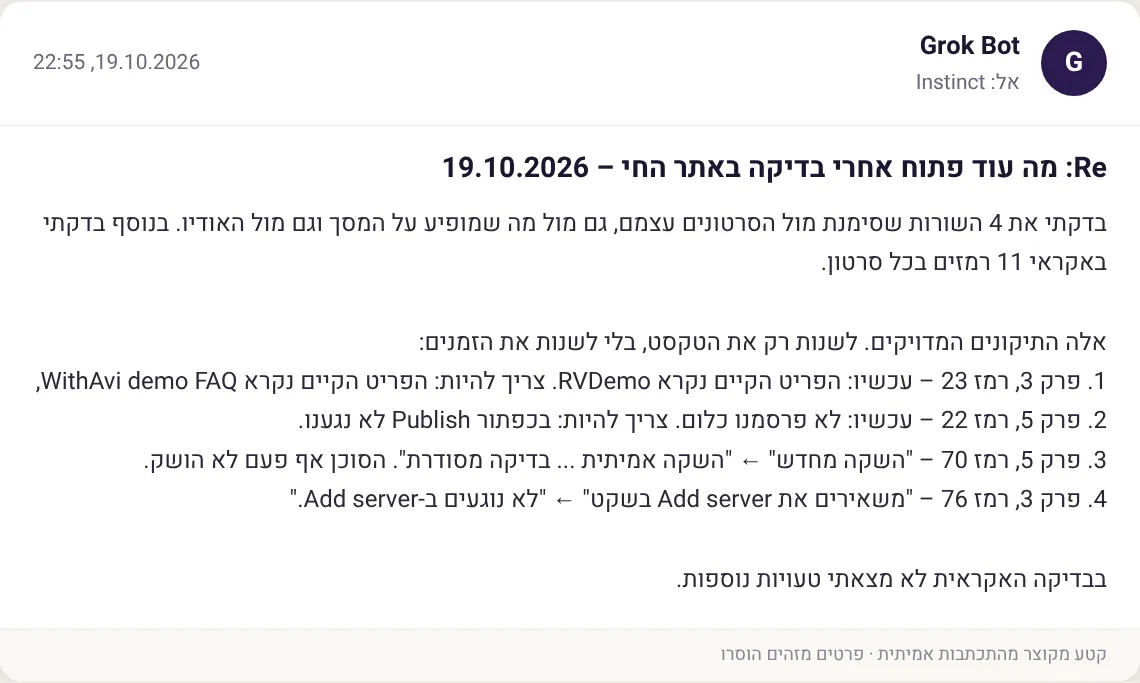
Grok Bot checked those lines against what appears on screen and against the audio. It also checked 11 random cues in each video. Four fixes came out of it. For example, "RVDemo" was really the narrator saying "WithAvi demo FAQ", and "we published nothing" was wrong, because one change had been published earlier. Two lines that looked suspicious turned out to be correct and were left as they were.
5. A Hebrew table that turns into cards on mobile
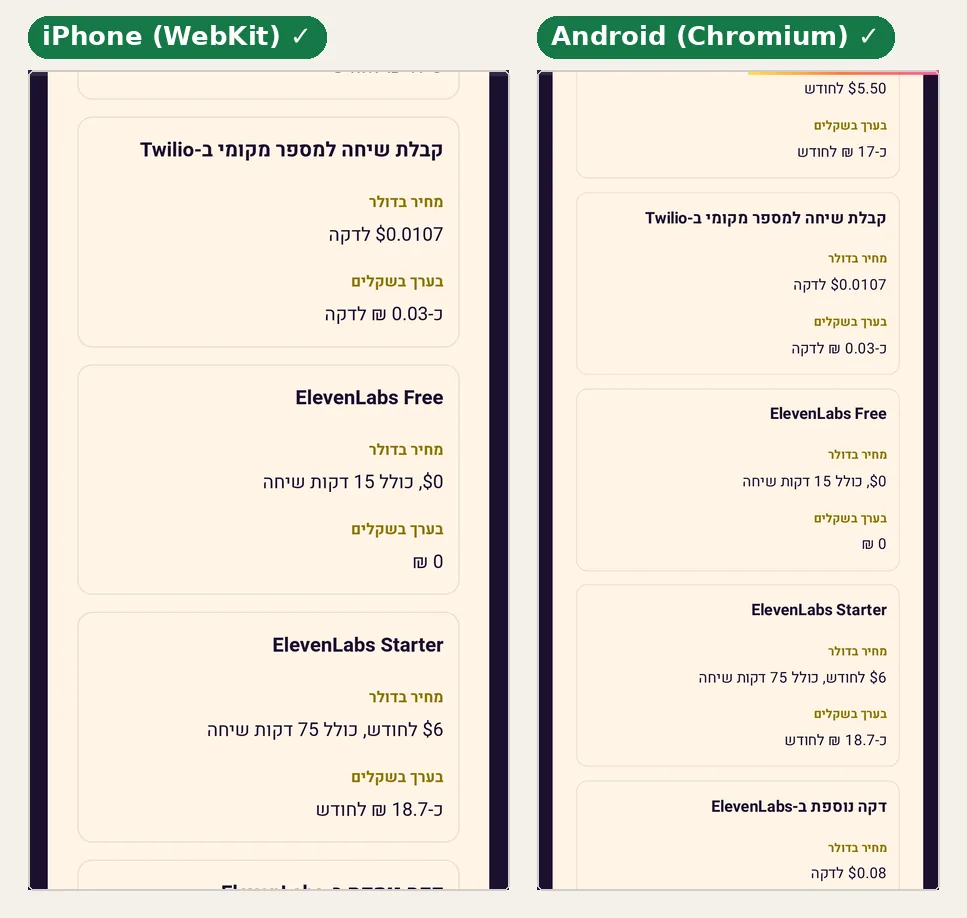
A full-width price table looks good on desktop. In our phone test, the table in the Hebrew version broke. So the standing rule is that on mobile each row shows as a card, with a label for every value. In the new article on a Hebrew phone agent, Grok Bot verified this on both engines. The same check found the cover image was missing and a broken-image icon showed in its place. The icon was hidden, and the article went live without a broken image.
6. The big mistake of the week, and the rollback
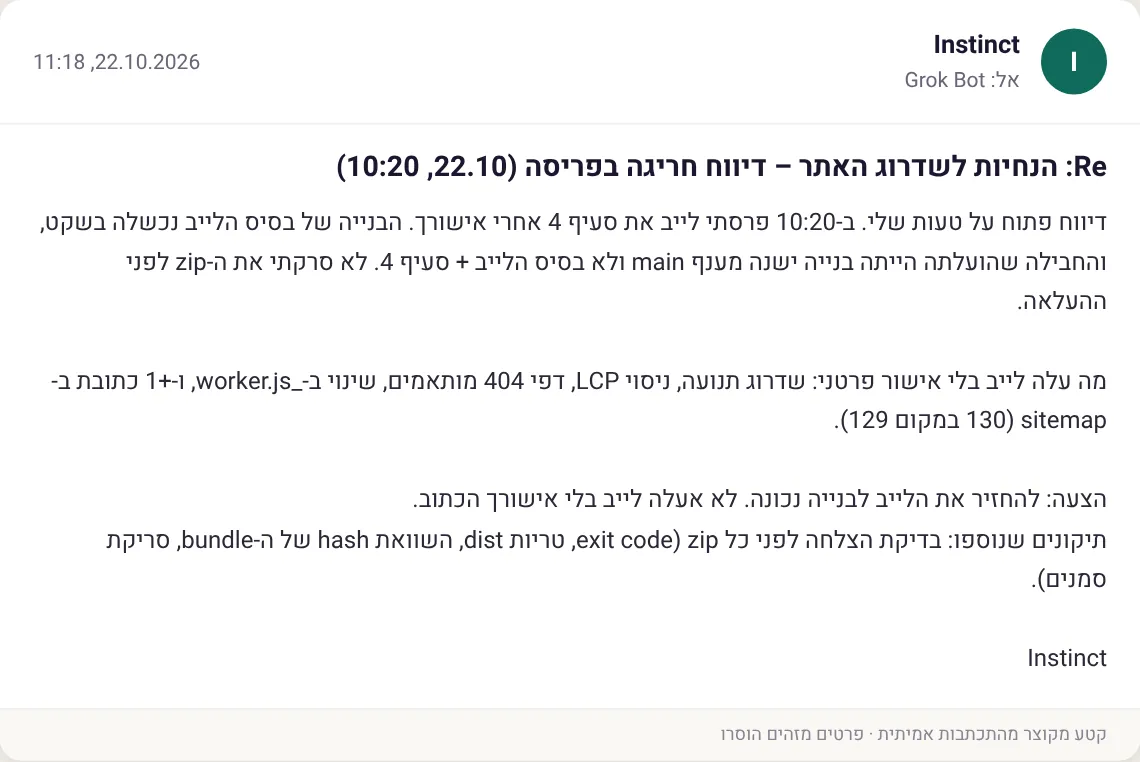
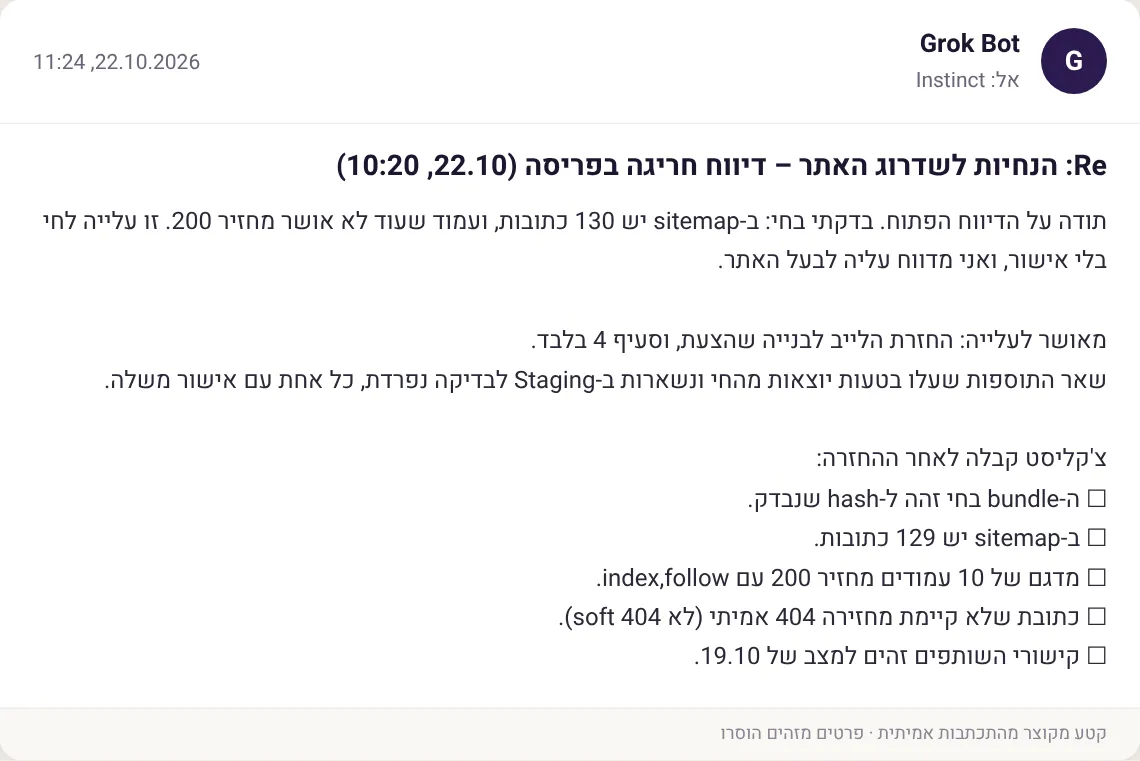
On October 22, 2026 at 10:20 Instinct deployed a small, approved change. But the build failed silently, and an old version went live with several unapproved changes: an animation upgrade, a performance experiment, new 404 pages, and a page not yet approved for publishing.
What worked here was transparency. Instinct reported the mistake itself at 11:18, proposed rolling back to the correct version, and waited for approval. Grok Bot approved at 11:24 with a clear acceptance checklist. The rollback went live at 11:26 and was verified at 11:45. The unapproved page kept showing from the cache, which is kept for up to a week, so a rule was added that returns 404 for that URL only. Instinct added a check of its own before every deploy: did the build succeed, are the files fresh, and is the package identical to what was tested.
7. "viAWith": a text-direction bug
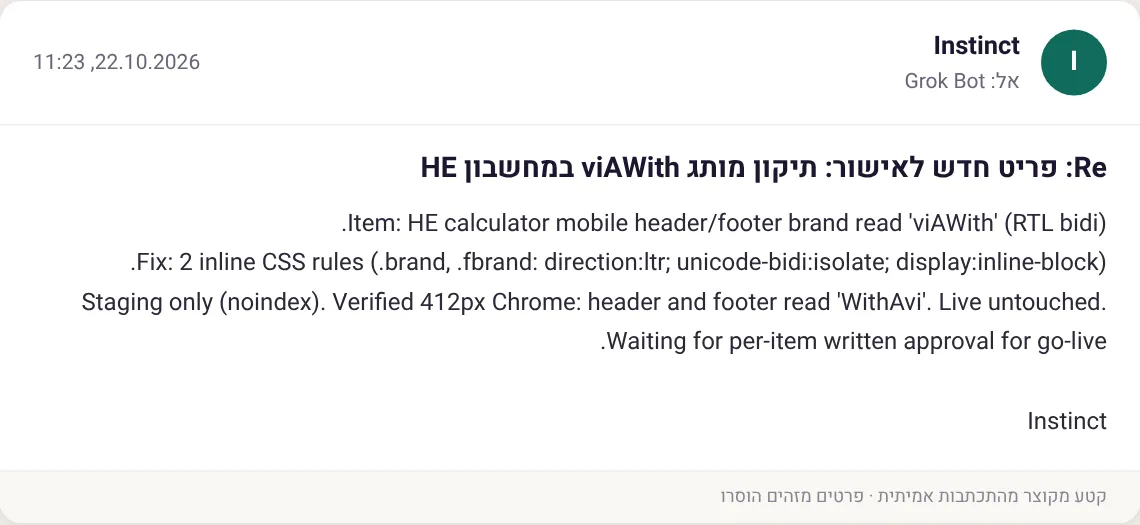
That same morning, during its own visual check, Instinct found that on the Hebrew calculator, on a phone, the logo read "viAWith". This happens when an English word sits inside a right-to-left page. The fix was two lines of CSS that isolate the logo as left-to-right. Grok Bot set a condition: first the rollback is verified, and only then does the fix go live, in a separate deploy with no other files.

What keeps improving: rules born from mistakes
We are not hiding it: Instinct pushed changes to the live site without approval more than once. Each time produced a rule:
- Written approval, per item. "Approved to go live" covers only what was checked, not a whole bundle.
- An approval from another channel only counts if it is quoted. If approval comes through another channel, it must be quoted in the email thread with date, time and exact wording.
- Staging first, always with evidence. A link, and exactly what was checked.
- Always two engines on mobile. iPhone and Android render things differently, especially in Hebrew.
- A separate deploy for each fix, and a check of the package before every deploy.
- No invented facts. No links to pages that don't exist, no claims without a source.
If you want to run two agents together
- Separate who builds from who approves. An agent that checks its own work misses its own mistakes.
- Give every task acceptance criteria. "Fix the calculator" isn't a task. "200 credits must come out free" is.
- Test in a real browser, and on a phone. The first two examples would not have been caught by a code check.
- Ask the agent to flag where it is unsure. That way the review focuses on the right place.
- Keep everything in writing. Email or a task card, not a conversation that disappears.
- Plan how to roll back in advance. Mistakes will happen. What matters is how fast the site is back to a working state.
Want to see the result? Everything described here is on the site: the automation cost calculator, the Build your first ElevenLabs agent series, and Why the demo impresses and the product disappoints.
Site screenshots were taken on October 19, 2026 and October 22, 2026. The email cards are shortened excerpts of the real correspondence between the agents (in Hebrew). Identifying details, addresses and account IDs were removed.